How to start using AI in your business without giving away your data
A short way to start with AI: three easy things to try, one setting to check first, and a quick check before anything goes out.

André Ferreira
· 6 min read
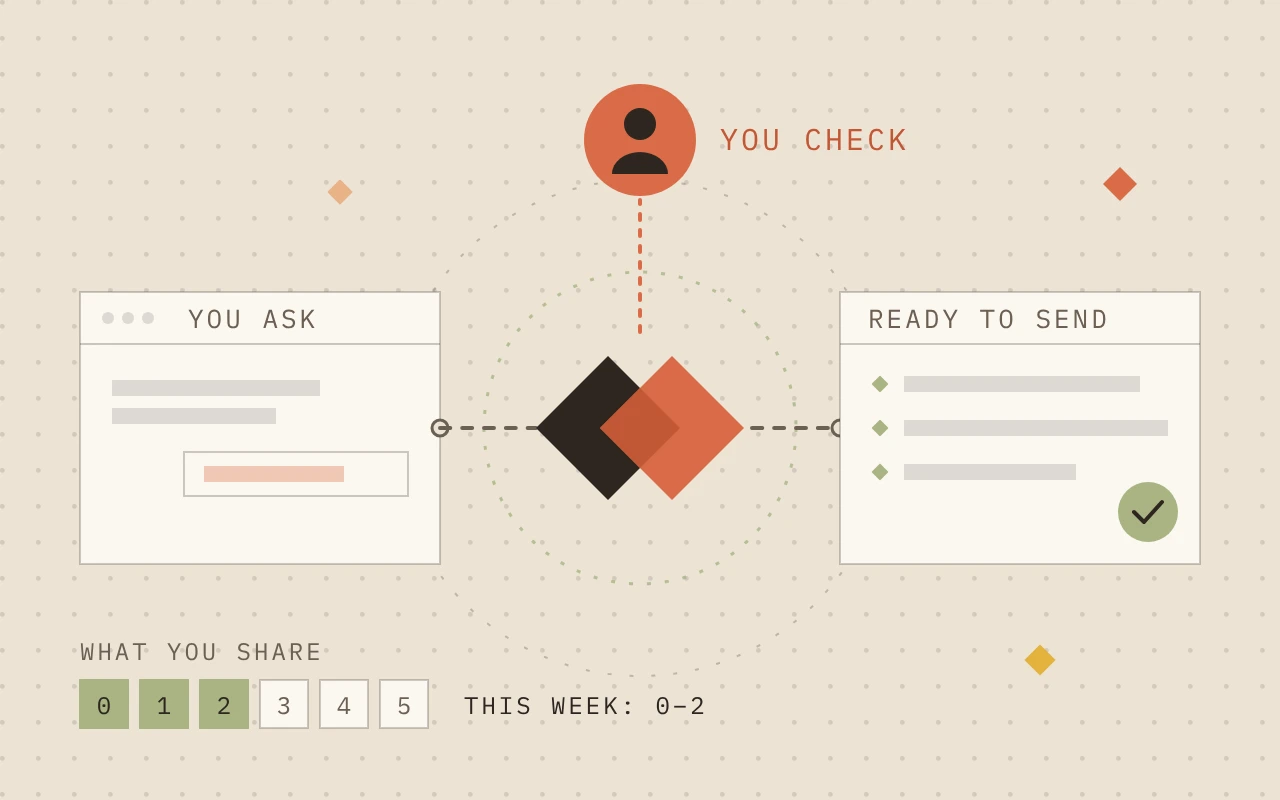
At a glance
Start getting help from AI without handing over anything private.
What you’ll do
- Switch off the setting that lets the app train on your chats.
- Tell it how you like answers: plain words, short, no flattery.
- Try three easy tasks with nothing private in them.
- Check names, numbers and promises before anything goes out.
Good to know
- All of this works on the free plans.
- App menus change often. We last checked everything here in November 2026.
So what is it?
It's a chat app. You type or say what you want in plain words, and it writes back. ChatGPT, Claude and Gemini are the main ones. They all have a free plan that's enough for this and work in much the same way, so pick whichever you like.
Think of it as a new hire who's read a lot but has never been to your business. It's quick, but it doesn't know your prices or your customers unless you tell it, and it can sound sure about something that's wrong. Treat what it writes as a first draft.
Isn't this just Google?
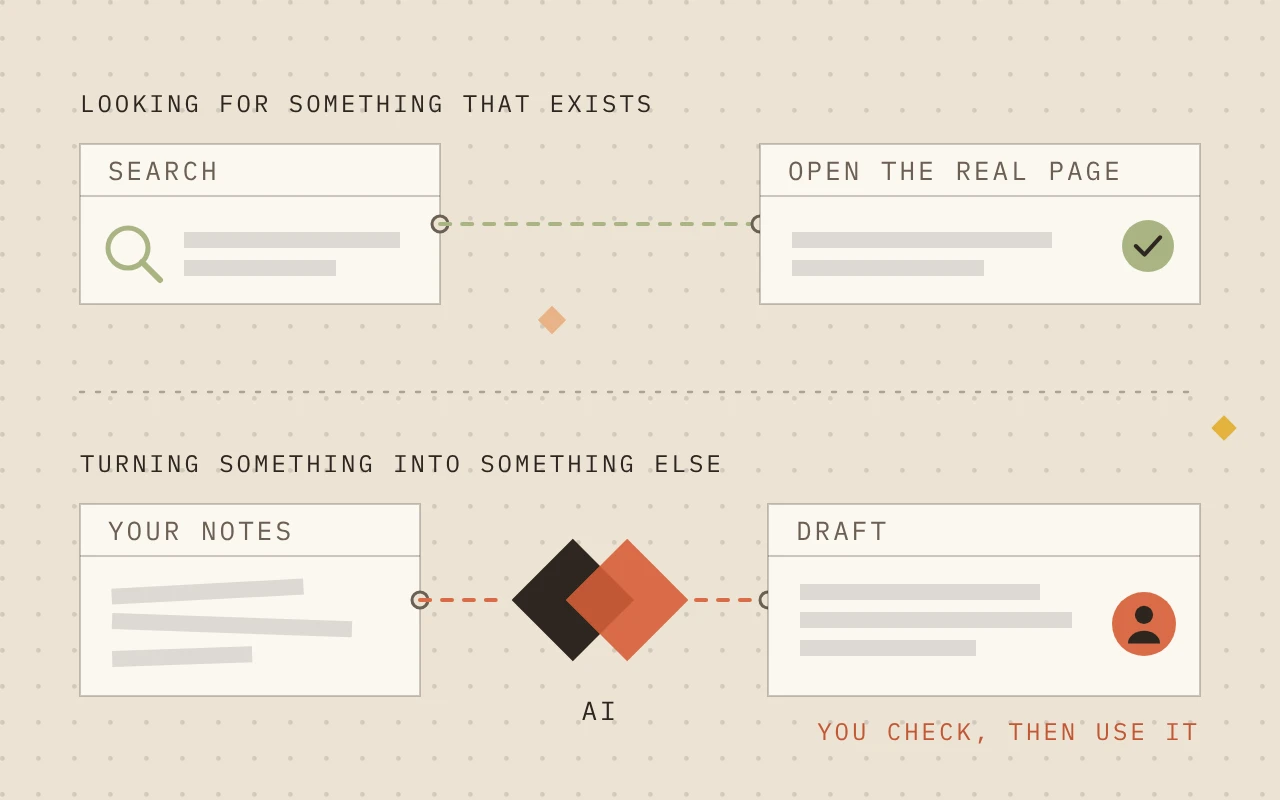
They overlap, but here's a simple rule. If you're looking for something that already exists, like opening hours or a phone number, search for it and open the real page. If you want to turn something into something else, like rough notes into a tidy email, ask AI.
| App | Turn off training | Private chat |
|---|---|---|
| ChatGPT | Settings → Data controls → Improve the model for everyone | Temporary Chat |
| Claude | Settings → Privacy → Help improve Claude | Incognito (ghost icon) |
| Gemini | Settings & help → Activity → Turn off | Temporary chat |
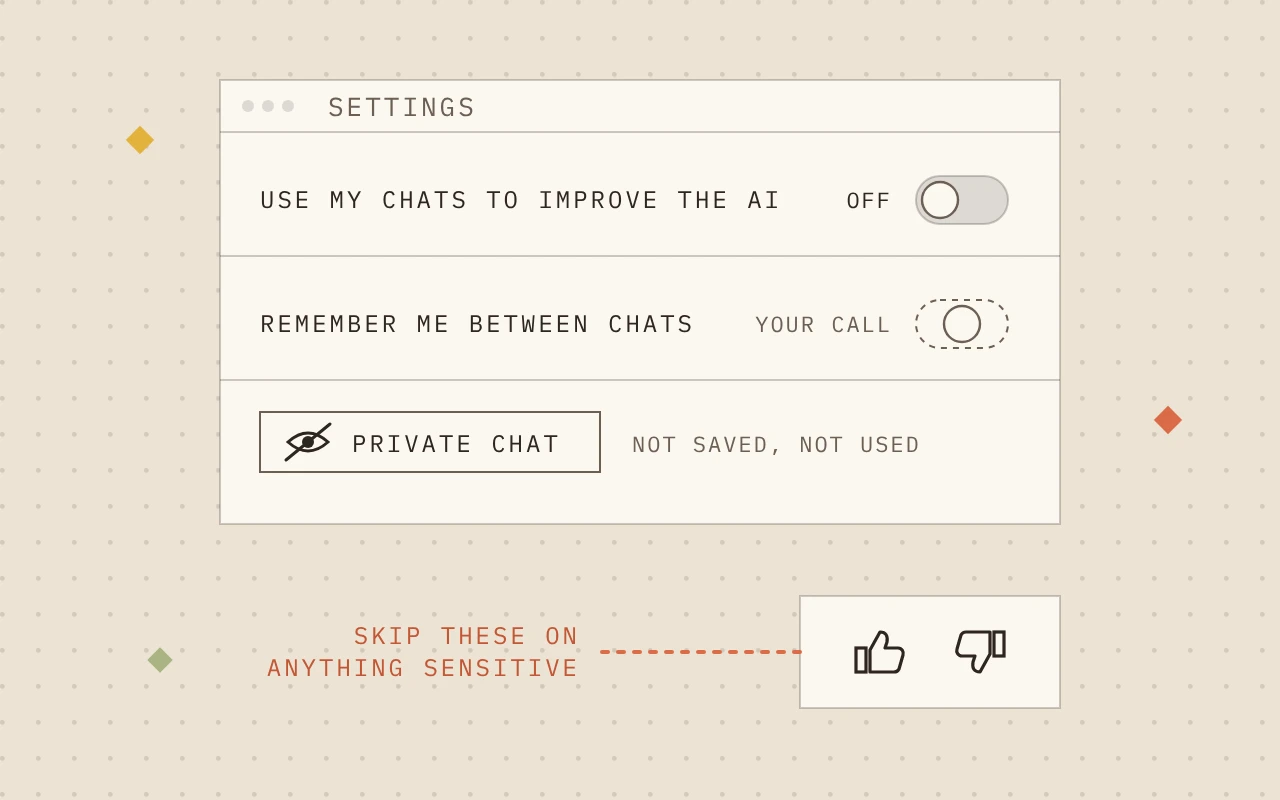
Two small things while you're in there. Rating an answer with the thumbs up or down can let the company use that chat even if you turned training off, so skip it on anything sensitive. And these apps can remember things about you between chats. If you'd rather they didn't, look for Memory in settings.
How to ask
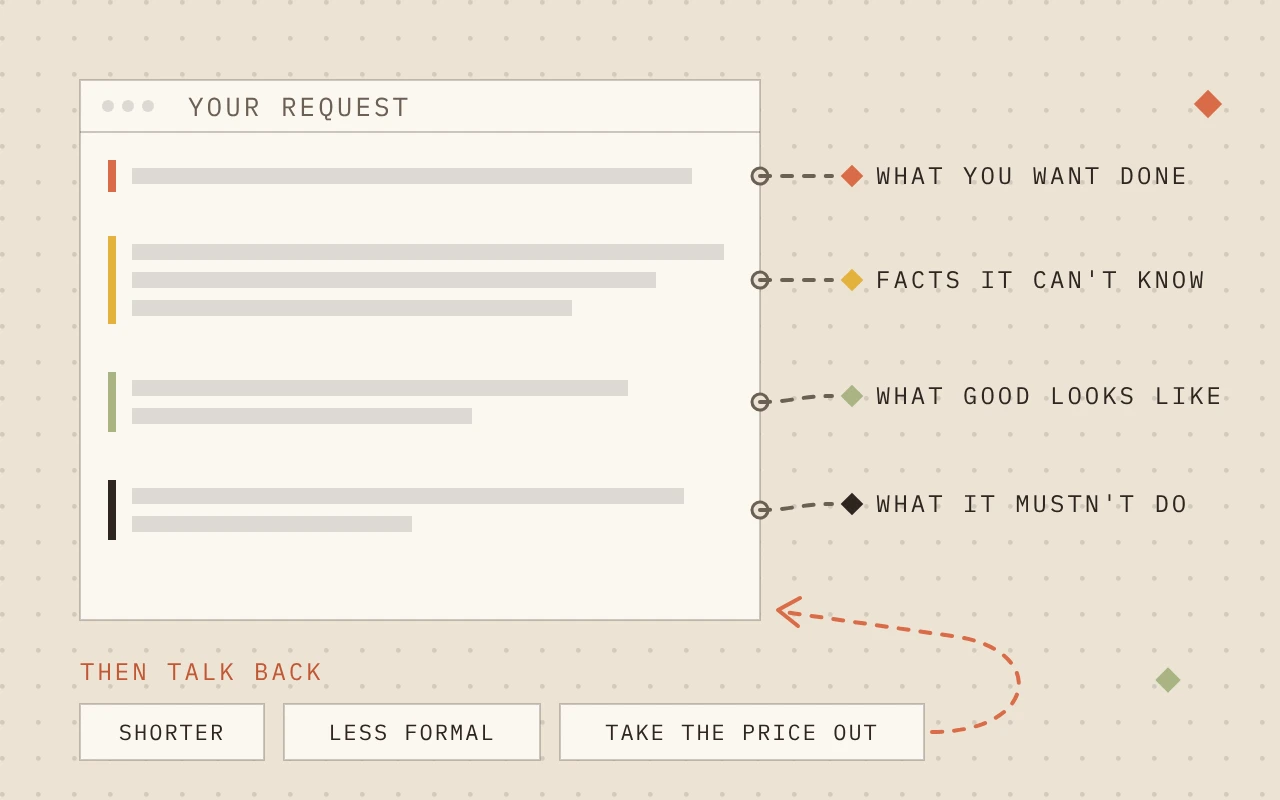
Ask the way you'd brief someone new: say what you want, give it the facts it can't know, say how long or what tone, and mention anything it mustn't do.
Then talk back. If the first answer is off, say what's wrong ("shorter", "less formal", "don't mention prices") and it'll try again. The second try is usually better.
Tell it how to talk to you
Out of the box, these apps have a few habits that get old fast. They use jargon, write far more than you asked for, turn everything into bullet points, start with "Great question!", and agree with nearly anything you say.
You don't have to correct that in every chat. Each app has a box in its settings where you write how you like answers, and it uses that from then on. Copy this in and change anything that doesn't sound like you:
Talk to me like a friend who knows the subject, not like a textbook.
Use plain words. If you need a technical term, explain it in a few words.
Keep answers short unless I ask for more. Skip the intro and the recap.
Don't flatter me. If my idea has a problem, tell me.
If you're not sure about something, say so instead of guessing.| App | Where to paste it |
|---|---|
| ChatGPT | Settings → Personalization → Custom instructions |
| Claude | Settings → Your Claude → Instructions |
| Gemini | Settings & help → Personal Intelligence → Instructions for Gemini |
ChatGPT also has ready-made styles in the same place. Professional leans into business jargon, so if that's what bugs you, pick Friendly or Efficient instead.
Can't find the setting, or it isn't available where you live? Paste the same lines at the start of a chat instead. There's nothing private in any of it, so it's a safe thing to set up on day one. Just don't expect miracles: answers get easier to read, but it can still get things wrong, so keep checking.
Before you start
- A free account on ChatGPT, Claude or Gemini tool
0 USD, checked . Free plan; usage limits apply.
- Something to practice on: a review, a customer message, or one you make up input
Step 1Task 1: Get something explained
Pick something you've been meaning to understand: a term you keep hearing, or anything in this guide that wasn't clear. Swap the bits in square brackets for your own.
- Expected result
- A short, plain explanation and a note on what to double-check.
I run a small [type of business] and I'm new to AI.
Explain [the thing you want to understand] in plain English, in a few sentences.
Then tell me what I should double-check, and where.Step 2Task 2: Reply to a review or comment
Use a review or comment someone left about your business online. It's already public, so you're not giving anything away, and you can leave their name out. Don't have one handy? Make one up. It works just as well for practice.
- Expected result
- A reply you'd post after a small tweak.
Write a short, friendly reply to this review that I can post publicly.
Thank them, answer their point about [the issue], and don't offer
refunds or discounts.

Review: [paste it here]
Step 3Task 3: Reply to a customer message, without their details
Pick a message from a customer, whether it came by email, text or social media, or write a pretend one. If it's real, swap their name, phone, email and address for "Customer A" before you paste it in, and use a private chat.
- Expected result
- A reply that only uses the facts you gave it.
Write a friendly reply to this message for my [type of business].
Only use these facts: [where you work, your prices, when you're free].
If they ask about anything not in my facts, say we'll confirm it.

Message: [paste it here, with their details swapped out]Check it works
Sharing more, later
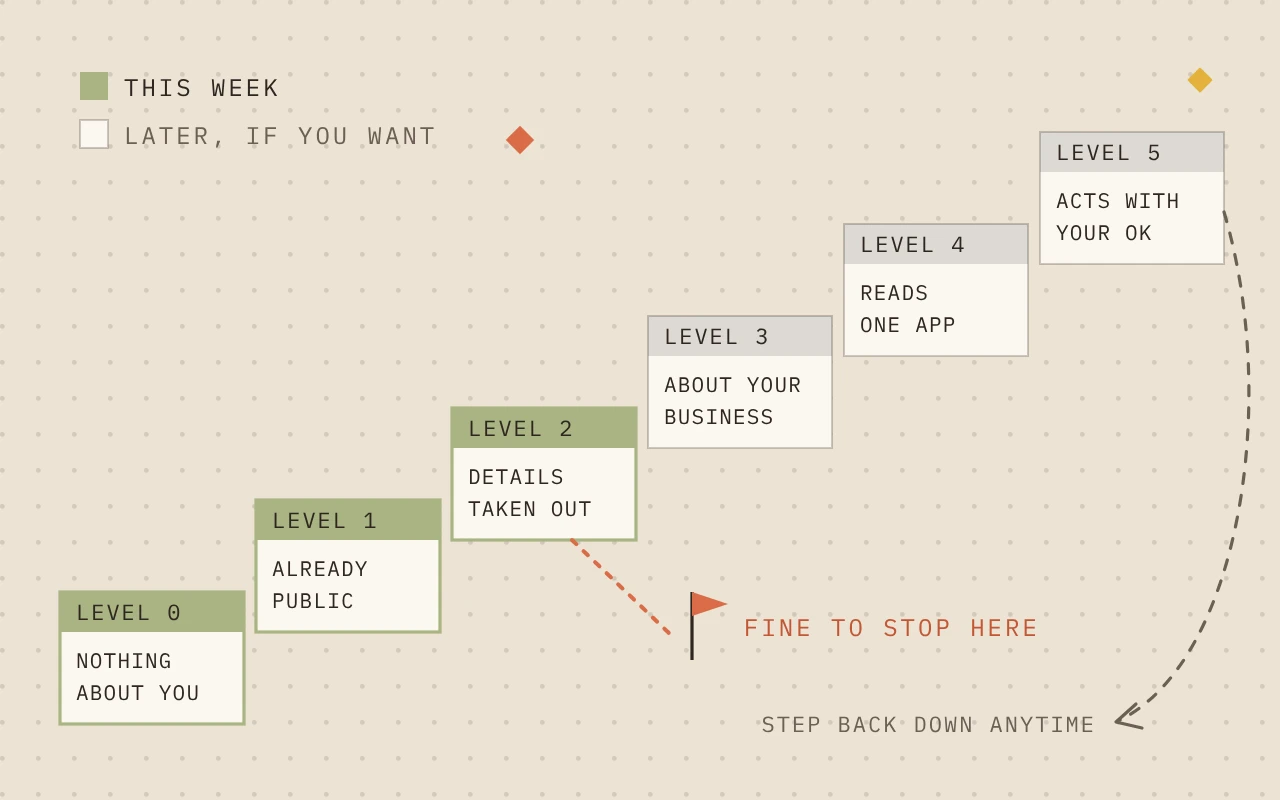
Once this feels easy, you can give it more to work with. Go one step at a time, and only when the generic answers stop being good enough.
First things that are already public, then your own writing with other people's details taken out, then a short description of your business. Connecting your email or calendar, or letting it act for you, comes last. Plenty of businesses never need that.
Troubleshooting
The answer could be for any business.
- Cause
- It doesn't know yours.
- Fix
- Tell it a bit more: your area, your customers, how you like to sound.
It said something that isn't true.
- Cause
- It predicts what sounds right.
- Fix
- Ask where it got that, then check the real source before you use it.
You pasted something you shouldn't have.
- Cause
- Usually rushing.
- Fix
- Delete the chat and don't rate it. If it had a customer's details in it, check with whoever handles data protection for you.
Got questions?
Ask the chat. Paste in the part you're unsure about and say "explain this like I'm new to it" or "what should I try next?" There's nothing private in that, so it's a good first conversation to have.
Sources
21 sources
- The AI Economy Is a Small Business Economy
Goldman Sachs 10,000 Small Businesses · Barriers and the Appetite for Support · Published · Accessed
- Data Controls FAQ
OpenAI · Accessed
- Memory FAQ
OpenAI · Accessed
- Connected apps in ChatGPT
OpenAI · Accessed
- ChatGPT Free Tier FAQ
OpenAI · Accessed
↩ 1 - ChatGPT release notes
OpenAI · Accessed
- Is my data used for model training?
Anthropic · Accessed
- How long do you store my data?
Anthropic · Accessed
↩ 1 - How do I change my model improvement privacy settings?
Anthropic · Accessed
- Use Claude's chat search and memory to build on previous context
Anthropic · Accessed
- I would like to input sensitive data into my chats with Claude. Who can view my conversations?
Anthropic · Accessed
- Use Google Workspace connectors
Anthropic · Accessed
- Release notes
Anthropic · Accessed
- Gemini Apps Privacy Hub
Google · Accessed
- Manage & delete your Gemini Apps activity
Google · Accessed
- Get personalization with memory of your past Gemini chats
Google · Accessed
- Gemini introduces Personal Intelligence
Google · Published · Accessed
- Dublin SME AI Accelerator - Resource Hub
OpenAI Academy · Accessed
- Customizing Your ChatGPT Personality
OpenAI · Choose your ChatGPT personality; Professional · Accessed
- Understanding Claude's personalization features
Anthropic · Instructions for Claude · Accessed
- Customize Gemini's responses with your instructions
Google · Add your instructions for Gemini · Accessed
You’ve seen how it works. Now get it running.
On your own
- 15 min setup, if nothing breaks
- Test it on your own
- Fix it when it breaks
With Inovagent
- Scoped to your workflow
- Built and tested with you
- Human checkpoints designed in
Want this running in your business?
Get it built